
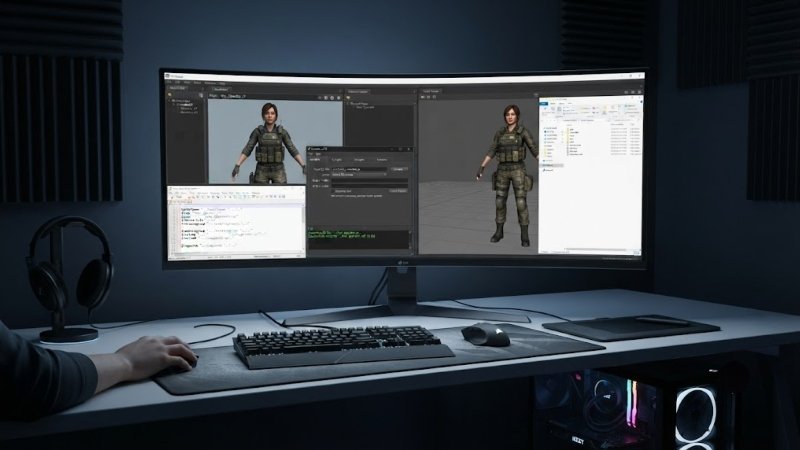
Ever tried importing a custom model into Source Filmmaker, only to get an error? You’re not alone. SFM compile issues are one of the top reasons beginners quit the software early. Studies from modding communities show that over 60% of new SFM users hit a compiling roadblock within their first week. Why does this happen? Source Filmmaker doesn’t read raw 3D files directly. Every model needs a proper SFM compile process first. This process turns files like .smd or .dmx into the .mdl format SFM actually understands. Skip a step, and your model won’t load, or worse, it’ll look broken inside the program. The good news? Once you understand the compiling workflow, it becomes second nature. This guide walks you through the entire process, tool by tool, so your next model loads perfectly on the first try.
What Does “Compiling” Mean in SFM?
Compiling turns raw 3D model files into a format Source Filmmaker can use. Think of it like translating a book into a different language. The content stays the same, but the format changes completely.
Source Filmmaker relies on the Source engine, originally built by Valve. This engine reads models in .mdl format. Most 3D software, like Blender or 3ds Max, exports files as .smd, .dmx, or .obj instead. None of these formats work directly in SFM.
That’s where compiling comes in. A compiler tool converts your raw files into the .mdl format. It also generates supporting files like .vvd, .vtx, and .phy. These handle things like textures, physics, and animation data.
Tools You Need Before You Start
Before diving into an SFM compile, gather the right tools. Using the wrong software leads to wasted time and frustrating errors.
Blender or 3ds Max. You need 3D modeling software to create or edit your model. Blender is free and widely used in the SFM community.
Blender Source Tools. This add-on lets Blender export files in .smd or .dmx format. Without it, Blender can’t talk to the Source engine properly.
Crowbar. This is the most popular compiling tool for Source engine models. It handles the technical conversion from raw files to .mdl format.
A QC file. This text file tells the compiler how to build your model. It lists file paths, bone structures, and material info.
GCFScape or similar extraction tools. These help pull existing game assets if you’re editing models from Half-Life 2 or other Source games.
Step-by-Step: How to Compile a Model for SFM
Follow these steps carefully. Skipping steps is the top cause of compile failures.
Prepare your model: Finish modeling and texturing your file in Blender or 3ds Max. Check that your model has clean geometry with no overlapping faces.
Export as SMD or DMX: Use Blender Source Tools to export your file. Choose .dmx if your model has complex features like flex animations.
Write your QC file: This file acts as the recipe for your compile. It needs to list your model name, body groups, materials, and physics settings. Even small typos here cause errors.
Set up folders correctly: Source engine tools expect a specific folder structure. Place your files inside the correct SourceMods or usermod directory. Wrong file paths are a common source of compile failures.
Run Crowbar: Open Crowbar and load your QC file. Click Compile and watch the log window. Any errors will show up here, along with hints about what went wrong.
Test in SFM: Launch Source Filmmaker and check if your model loads properly. Look for missing textures, broken bones, or scaling issues.
Common SFM Compile Errors and Fixes
Even experienced users run into compile problems sometimes. Here are the most common issues.
Missing textures (purple and black checkerboard): This usually means your material paths are wrong in the QC file. Double-check your VMT and VTF file locations.
“Error! Model has no sequences:” This happens when your QC file doesn’t reference an animation file. Add at least one idle animation sequence to fix it.
Model appears too big or too small: Scaling issues often come from mismatched units between your 3D software and the Source engine. Adjust the scale setting in your export options.
Compile freezes or crashes: This often points to corrupted geometry or an outdated compiler version. Try updating Crowbar or cleaning up your mesh in Blender first.
Tips for a Smoother SFM Compile Process
A few habits can save you hours of troubleshooting.
Keep your file names short and simple. Avoid spaces and special characters. The Source engine sometimes struggles with unusual file names.
Back up your QC file before making changes. If something breaks, you can quickly revert to a working version.
Test your model early and often. Don’t wait until the entire model is finished before trying to compile. Compile a basic version first, then add details gradually.
Join SFM community forums. Other creators have likely faced the same errors you’re dealing with. Searching forums often solves problems faster than guessing alone.
Why Learning to Compile Matters
Some users try to avoid compiling altogether by only using pre-made models. That works for a while. But custom content sets your projects apart.
Learning the SFM compile process opens up way more creative options. You can import models from other games, create original characters, or fix broken assets other creators shared. This skill turns you from a passive user into an active creator within the SFM community.
Conclusion
Compiling might seem intimidating at first, but it’s a learnable skill. Once you understand the tools and steps involved, the SFM compile process becomes routine. Start with simple models, follow each step carefully, and don’t skip the QC file details. With practice, you’ll import custom content into Source Filmmaker without the usual headaches.
FAQs
What is an SFM compile?
An SFM compile is the process of converting raw 3D model files into the .mdl format Source Filmmaker requires to display and animate models correctly.
What tools do I need for an SFM compile?
You’ll need 3D software like Blender, the Blender Source Tools add-on, and a compiler like Crowbar to successfully compile an SFM.
Why does my SFM compile keep failing?
Most SFM compile failures come from incorrect QC file paths, missing textures, or corrupted geometry. Check your file paths and mesh quality first.
Can I compile models without coding experience?
Yes. An SFM compile mainly involves editing a text-based QC file and running a compiler tool. No programming knowledge is required.
Where can I get help with SFM compile errors?
SFM community forums and Discord servers are great places to troubleshoot SFM compile errors. Many users share fixes for common problems there.

Writer & Editor, UnderstandingBlogs
Luke David is a Writer & Editor at UnderstandingBlogs. He creates clear, research-based content on technology, AI, business, entertainment, and public figures. His work focuses on accurate facts, simple explanations, and useful insights readers can trust. Every article is carefully reviewed and fact-checked before publication.
- G15Tools Com Gadget: What It Is and What You Should Know - September 9, 2026
- Office Avstarnews: Understanding Its Digital Newsroom and Work Process - September 8, 2026
- Competitive Edge The SerpentRogue: Complete Guide to Strategy, Alchemy, and Survival - September 7, 2026